Steps to cancel a subscription
1
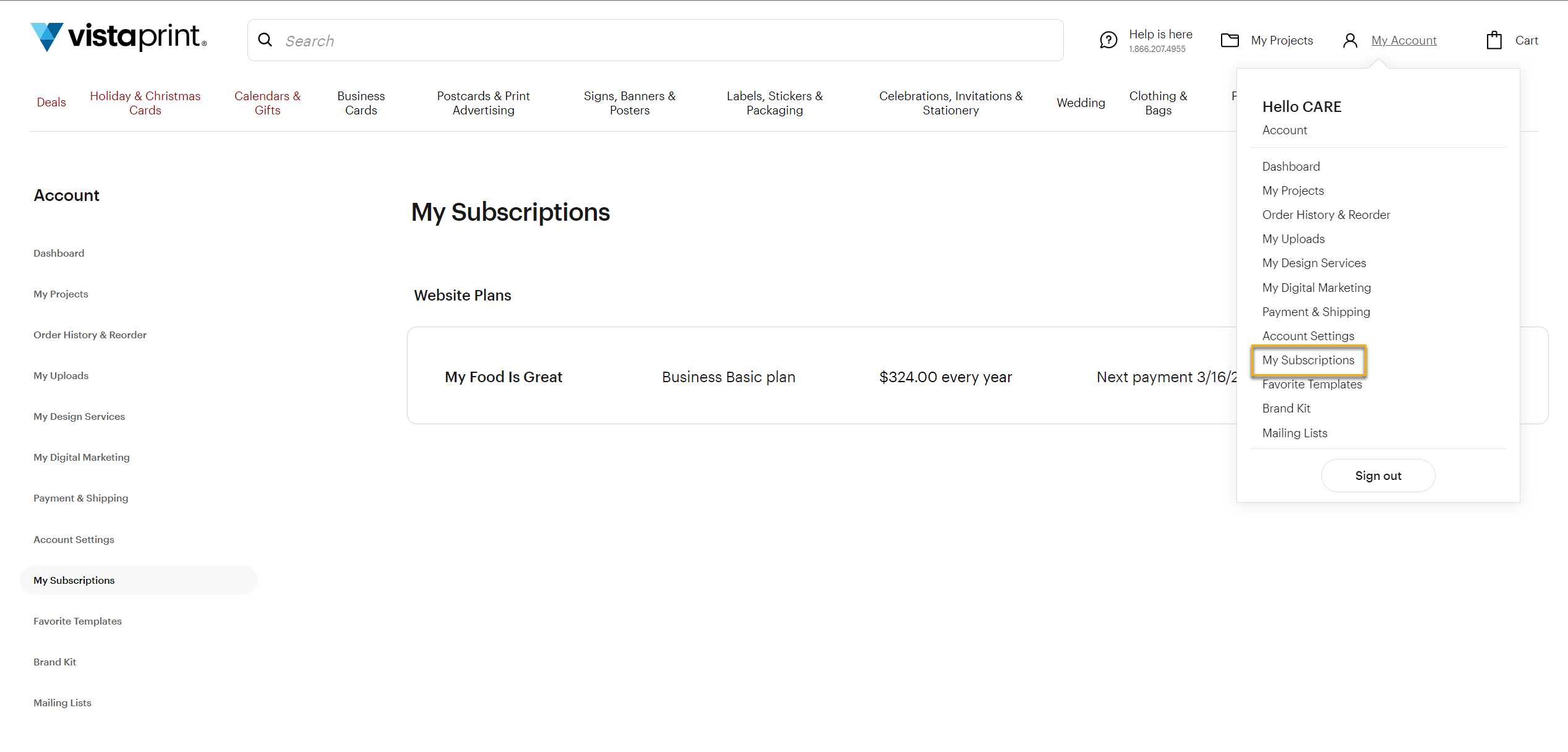
Go to My Subscriptions
Go to My Account, then select Subscriptions to see your active plans.
2
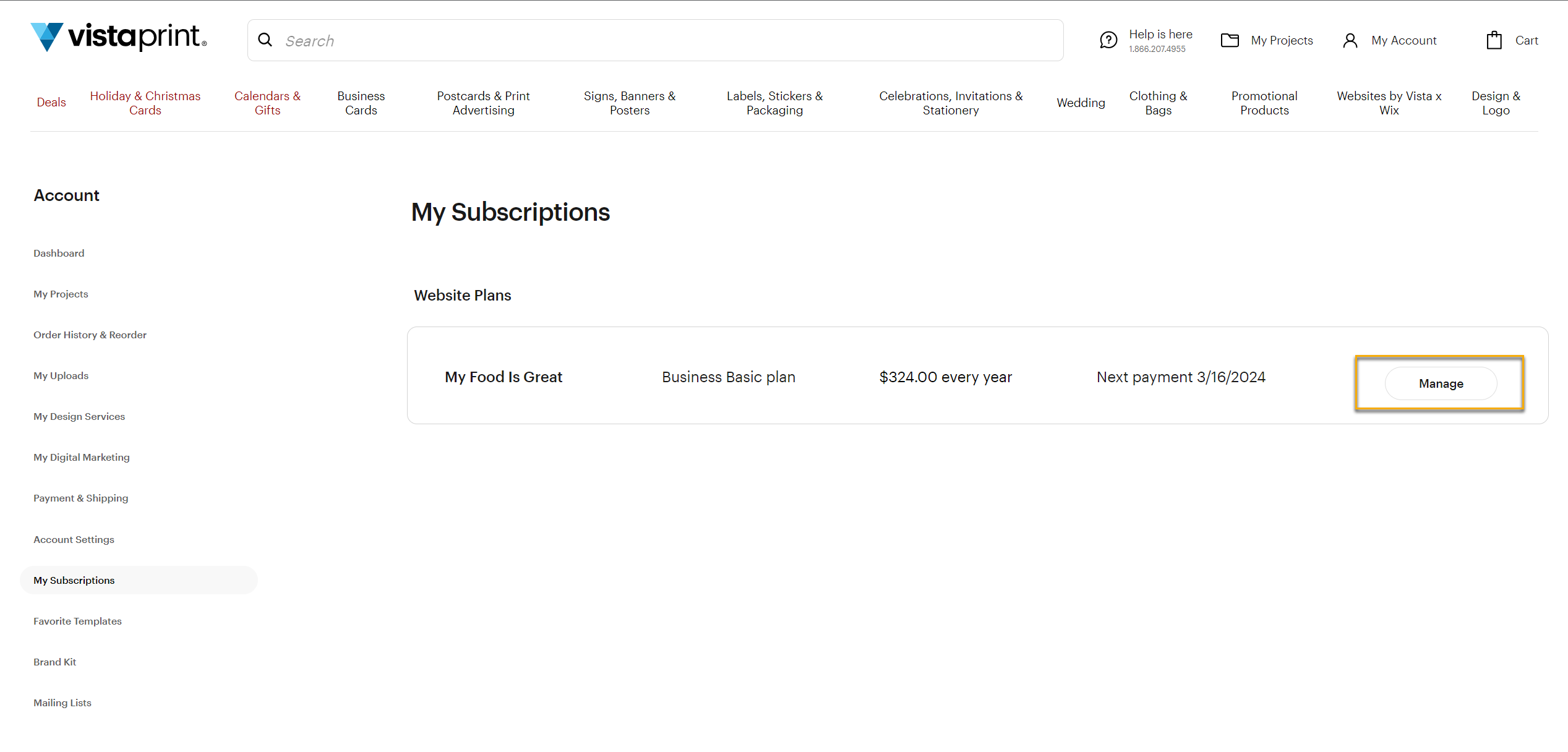
Select Manage
Find the subscription you want to cancel and select Manage. This opens your subscription details.
3
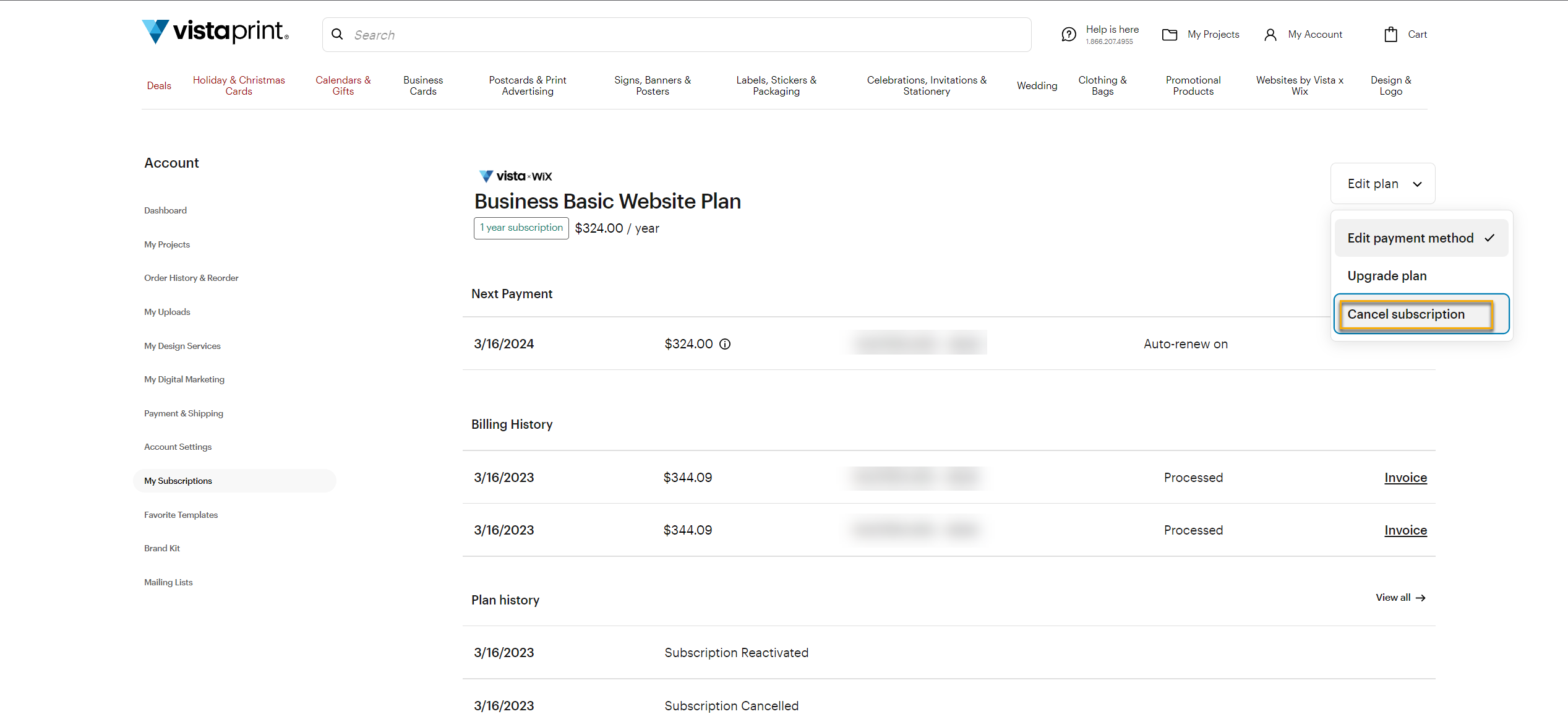
Select Edit plan
From the subscription details page, select Edit plan in the top-right corner.
4
Select Cancel subscription
Choose Cancel subscription to start the cancellation process.
5
Choose a reason
Select a reason for canceling. You can also choose Other and add your own explanation.
6
Select Cancel now
Your subscription will then be cancelled.
Cancel within 14 days of purchase to get an immediate full refund. After that, your subscription stays active until the end of your current billing cycle. Your plan's end date is available under My Subscriptions.