
AccessibilitySkip to main content
How do I change the font size?
Last updated June 16, 2026.
Guide
You can change the font size by selecting a text field and using the + or - buttons.

Steps to change the font size

1

Select your text

In the design studio, select the text field you want to edit. The text tools will appear automatically. 

2

Adjust the font size

In the top toolbar, use the + or - buttons to increase or decrease the font size. 
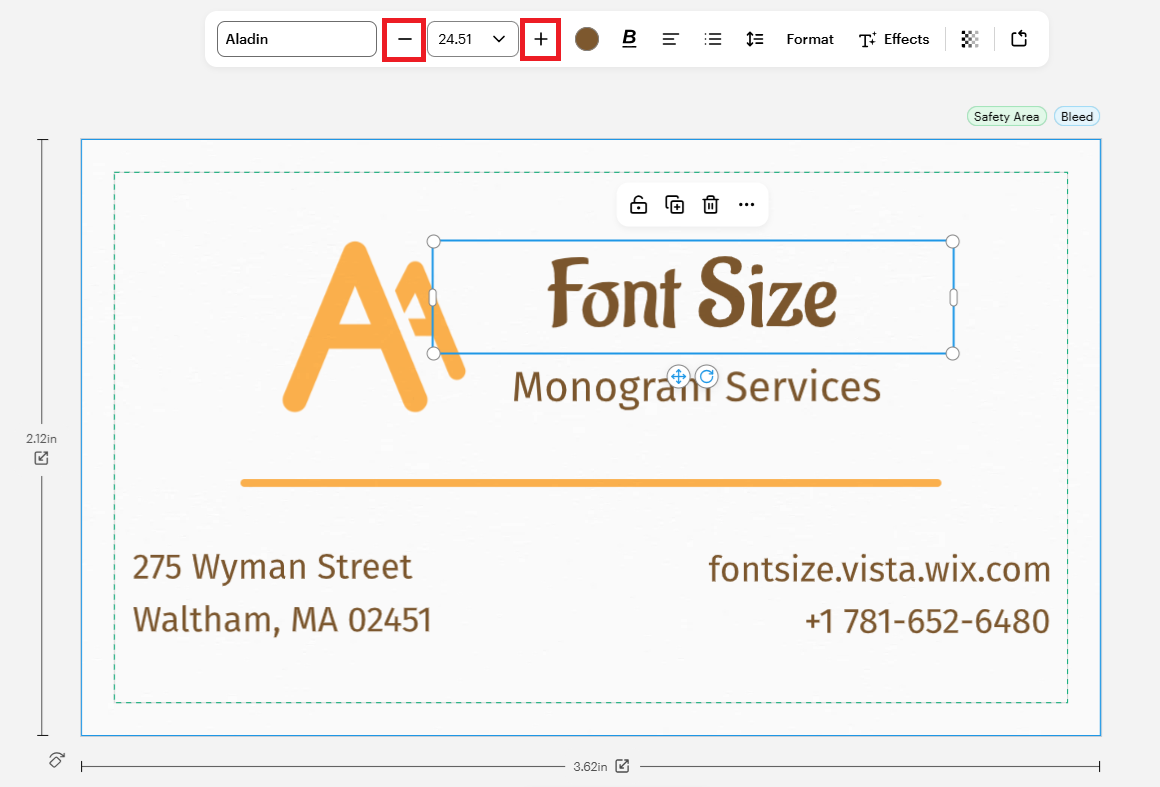
A screenshot of a business card being edited on Studio. The text box "Font Size" is selected and the plus and minus signs on the pop-up menu above are highlighted in red

Was this article helpful?
Learn how we use your feedback
This site is protected by reCAPTCHA

Connect live with Customer Support

Need help?

Contact Us
